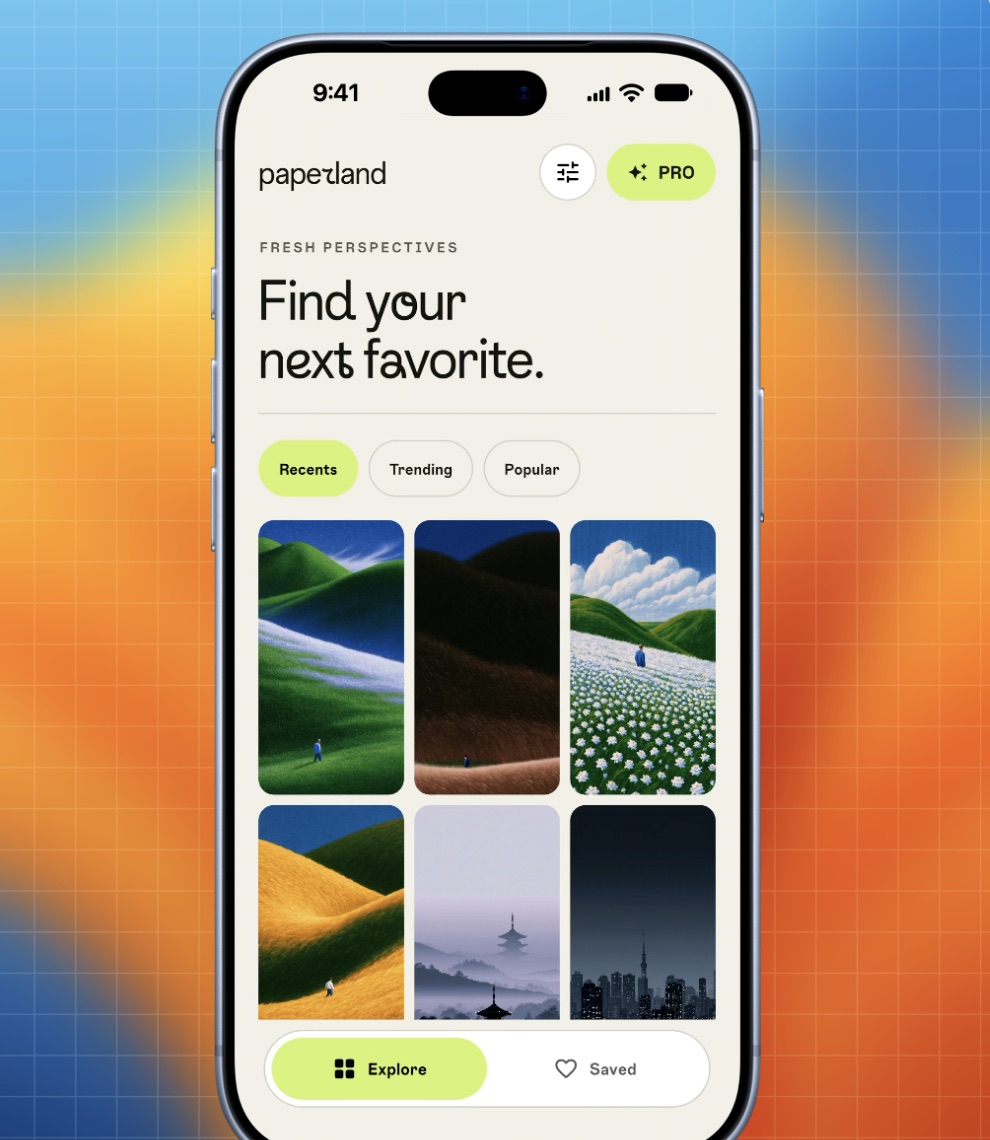
Clean from the start
A perfect 9:41.
Courtesy of iOS.
While Demoty records over the cable, iOS draws its own clean status bar. No patches. No smears when things move underneath.
iPhone recordings. A little more beautiful.
Plug in your iPhone. Click Record. Turn what’s on your screen into a demo that’s ready to share.
Free to startmacOS 14 Sonoma or laterApple silicon & Intel
From cable to canvas
Three simple steps from the screen in your hand to a beautifully finished demo.
Connect your iPhone to your Mac with a cable and unlock it. Your screen appears live in Demoty.
Click Record and use any app. iOS takes care of the clean 9:41, full signal and full battery.
Choose a real iPhone frame, find your background and add a zoom. Export in 1080p or 4K.
A closer look
Real iPhone frames. Just the right background. A zoom exactly where you need it. All in one native Mac window.
iPhone 17, 17 Pro, Pro Max, Air, the iPhone 18 lineup and the Duo. Every colour. Portrait or landscape.
Every image here is a real screenshot of Demoty for Mac.
Clean from the start
While Demoty records over the cable, iOS draws its own clean status bar. No patches. No smears when things move underneath.
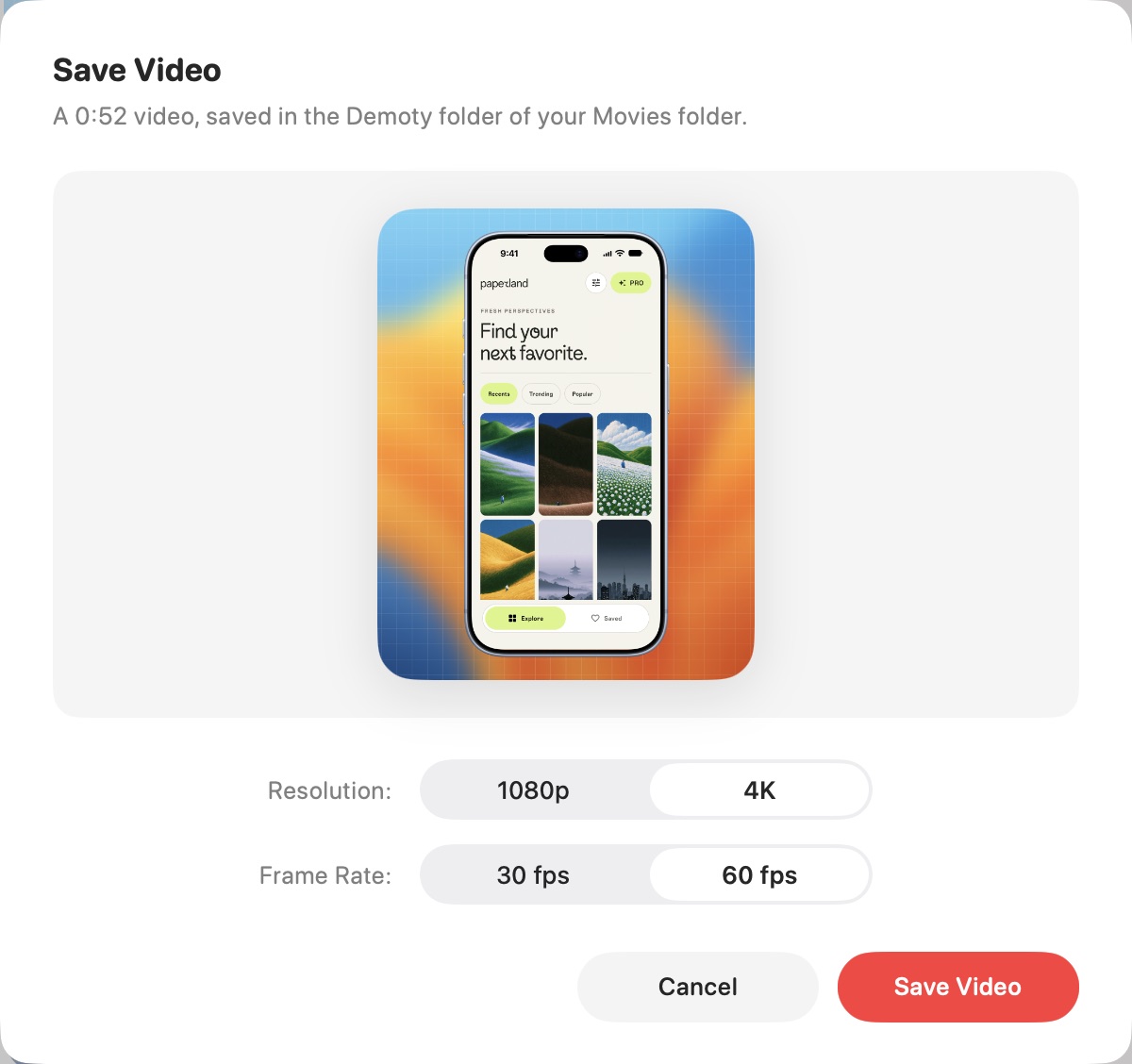
Ready for the big screen
1080p or 4K. 30 or 60 fps. Saved straight to your Demoty folder in Movies, ready to find or share in a click.
Right at home
The little things that make a Mac app feel like a Mac app.
Split, duplicate, change the speed or delete a clip. Edit a zoom right from the timeline.
Bring in a video from your Photos library or any video file on your Mac.
Space to play. ⌘ Z to undo. ⌘ E to export. The shortcuts you expect.
Eight folding poses in 3D, with smooth moves between them at the start of each clip.
Follow your system appearance or pick your own, with the accent colour you like.
Your recordings and edits sync with Demoty on iPhone through your private iCloud.
Your next demo starts here
Go Pro when you want every frame and more room to record.
$0 / to start
Everything you need for your first demo.
Download for Mac$5 / month
A license key for your Macs. Cancel anytime.
Get your license keyOpen Demoty.dmg and drag Demoty into your Applications folder. It’s signed and notarized by Apple, so it opens like any app, starting with a short welcome.
A Mac with macOS 14 Sonoma or later, an iPhone and a cable that connects them. It works on Apple silicon and Intel Macs. The first time, your Mac asks to let Demoty see your iPhone’s screen, the way it asks for a camera.
Demoty Pro is $5 a month through Polar. After checkout, your license key arrives by email. Paste it into Demoty › Demoty Pro License… to activate it on up to 3 Macs while your subscription is active.
Yes. Visit Polar’s customer portal, also linked in your receipt and in Demoty › Settings › Demoty Pro › Manage Subscription. Pro stays on until the end of the month you paid for.
No. Demoty records on your Mac and keeps your recordings on your devices and in your private iCloud. It contacts Polar to check your license and othmne.cc to check for and download app updates. Your recordings are never included in update requests.
Demoty checks for required updates when it opens. Click Update Demoty to download and verify the new version inside the app, then click Reopen Demoty to finish. Your recordings, edits and license stay in place. In the app menu, choose Check for Updates to look for other releases.
Demoty for iPhone is coming soon. Your recordings and edits will sync between your Mac and iPhone.

Made on your iPhone. Finished on your Mac.
Free to start. Just plug in and record.